Apps to Make Running Your Small Business So Very Simple

Apps to Make Running Your Small Business So Very Simple

***Contributed Post***

 Running a small business means being able to do many different tasks. You could be marketing one day, shipping goods, giving advice and bookkeeping, as these are just some of the skills a small business owner needs.  Of course, your business could be so well funded that you can outsource some of the jobs, or employ someone to help you. However, most small businesses do not have that luxury but do not despair, there are apps specially designed to make your life a little easier.

Best Apps For Accounting And Finances

As with all areas of your business, there are many apps to choose from when it comes to the finances of your business. There are ones specifically designed for accounts, investment apps, payroll apps and many others to help with your financial matters. It almost makes accountants obsolete!

Gusto is a very good payroll app, while Freshbooks provides a simple way to manage sales and purchase invoices. For a full package for all your financial needs, QuickBooks is ideal, and so is Wave.

Best Apps For Communications

Good communications are vital to any small business if it is to succeed. Addappt will make it easier to manage your contacts and you can send messages with it. Fuze provides high-definition video calls, and Slack is an instant messaging platform. Skype is probably the best-known video conferencing app, and although many have tried to knock it from its top position, it is still the most used for this purpose.
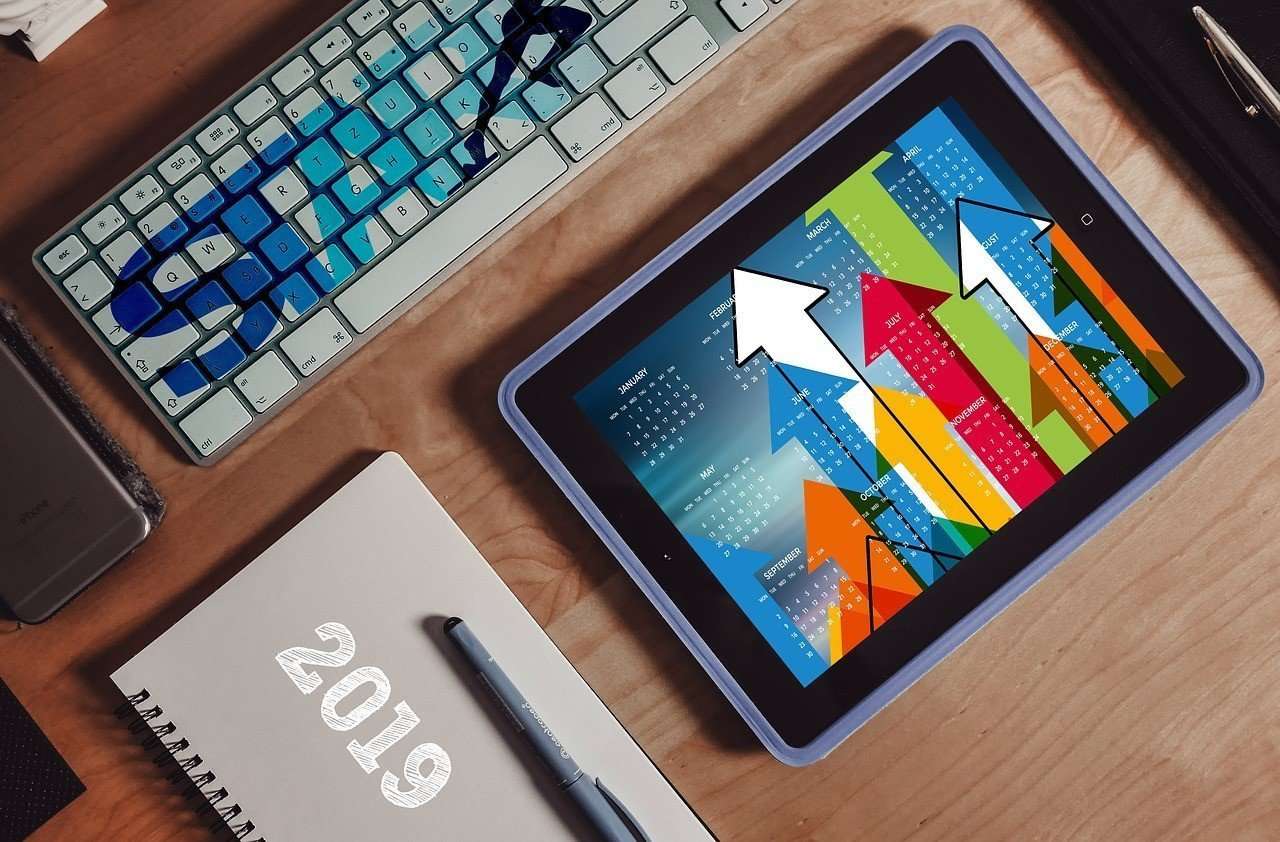
Best Apps For Time Management

Time is one of your most valuable assets and you need to make sure it is used to its best advantage.  Rescuetime will track how much time you have spent on other apps and websites, and then provide the details in a report. This will let you see where time is being wasted. My Minutes is great if you are having trouble focusing on the most important tasks. You can set goals, such as an hour on social media, and it will track the time spent throughout the day and let you know when you have reached the time limit.

Other Good Apps To Help You

These are just three areas where apps can make life a little less stressful, there are many others. Dropbox has more than 500 million users. It lets you store and share files in the cloud.  It is a very reliable app that can save you much time not having to send emails to several different people. MailChimp can help you to build a mailing list, as well as customize emails to send to all the people on it. This app is simple to use and can be a great marketing tool. Expensify can be linked to your bank and credit card accounts. It keeps track of money that goes in and out of them, including any charged and interest you may have to pay. You can then extract reports of the information in just a few minutes.

While you are building your business it is crucial to keep all your costs as low as possible Using business apps can be a way of doing this, and they help you to keep everything in order.

BYOD: A Boon For Business?

BYOD: A Boon For Business?

***Contributed post***

For all of the numerous business gadgets we have at our disposal, sometimes, the simplest approaches are usually the best. BYOD, or bring your own device, is something that many young companies use, predominantly for the reason that it saves them money. And while there are so many benefits to this approach, there are plenty of downsides also. So, if you are considering implementing this into your workplace, let’s break down BYOD.

How It Can Benefit The Business
Apart from the financial aspect, the bring your own device policy can help in terms of familiarity. For example, if you have employees that use their own tablets or laptops and have their own shorthand with the device, this translates directly into productivity. And while money is saved exponentially from the employer’s perspective, the money that is saved can be implemented in other ways. For example the various cloud computing solutions that can ensure that the devices are in keeping, not just with the BYOD policy, but secure within the working environment. And while there can be issues with this, if you implement an appropriate policy that is followed to the letter, you will see how it makes the lives of your employees easier.

The Overarching Concerns
Technologically speaking, the compatibility issues can cause disarray. Conflicting platforms, issues with access rights, or devices that don’t use a specific protocol, not to mention numerous others, can cause a headache for the tech department. Not only this, the issues you have with your employees sharing data on a personal level have to be addressed. As already mentioned, if you have a BYOD policy that is followed properly, and the consequences of not following it are communicated, this can help in one respect. When you are dealing with sensitive data, it’s important that you communicate to your employees, not just what will happen to them, but to the business. When you think about the employees that leave the work environment and have devices on their person that contain sensitive data, they are leaving themselves open to data theft in a personal sense.

Bring your own device policies, on the face of it, are a great way for any company to save money. But when you are thinking about the impact this can have on the business, the financial approach doesn’t dictate everything. BYOD can be a great way to encourage employees to make the work more mobile, especially for those people that work from home, but from a technological perspective, you have to invest a bit more to ensure that the information is secure. In many ways, the ideal solution is to have every device vetted, but this can throw up more issues in terms of your employees’ rights to privacy. And when dealing with sensitive data, in many ways, the best approach is consistent communication. Ultimately, we cannot watch our employees 24 hours a day, but what we can do is provide a very strict policy, one that is continually updated. BYOD can be a boon, but we have to be very careful.

Tech Tools for Freelancers

Tech Tools for Freelancers

***Contributed Post***

It will come as no surprise that to make it in the freelance world, you have to rely on yourself. However, there are a few pieces of tech that can help you on your way. Running a small business isn’t an easy feat by any means. You are responsible for finding work in the early days, invoicing, taxes, websites, and many other facets of running a successful business. There is somewhere in the region of 54 million freelancers in America at any one time, in a few key areas. Writing, consulting, photography and design tend to be the top choices. 

It doesn’t matter if you are just dipping your toe into the freelance pool, or you’ve been at it for years. Here are some tech tools that will help you manage your business that much better.

Money Matters 

When it comes to managing your money, you have to be smart. Having a card swiper handy when you go to meetings, or you are wrapping things up with the client is always a good idea. Not everyone wants to pay the fees for online transfers like PayPal. There are also a couple of very popular choices if you are doing your own accounting (and you probably are for the most part). 

Wave. This is a free service that helps you generate a dashboard configured to the needs of your business. You can put in information like transactions, receipts, invoices, and other information. It will help you keep everything in order without much fuss. This is suited to smaller businesses or freelancers who aren’t planning on huge growth. 

FreshBooks. This cloud-based accounting software system is excellent for tracking things like billable hours, invoices and will even calculate taxes for you. This is a step up from Wave and is suited to businesses that make a decent turnover but need to keep track of their billable hours. This nifty kit can also work out your profit, losses, and provide you with quarterly analysis.


Time 

When it comes to freelancing, your time is literally money. If you start a project but waste too much time procrastinating, you are wasting perfectly good billable hours. One of the most popular ways of breaking down a working day is by using a Pomodoro, time tracker. This will improve your productivity and give you a way to track your working hours. 

Pomodoro Timer for Trello. If you like to have your projects neatly organized, they chances are you use Trello already. The Pomodoro Timer for Trello allows you to implement this productivity tool in your cards. 

Self-control. If you find yourself floating between a research website and Facebook, you can curb that nasty habit quickly with this app. You can block specific sites for set periods of time. So, if you like to work from 10-4 every day, then you can block that period of time each day. Just set the time, click start and work away. 

Getting in Order 

When it comes to making the most of your time you need to make sure that you have some organizational tech in place. These might be simple checklists, or you might like more comprehensive options. 

Wunderlist is a super simple to-do list app. You can access it on your mobile or desktop so you can work easier on the go. You can set your to-dos up by client or project and then break it down into tasks. The extra added bonus for this app is that you can add photos, files, and notes as you go. Plus, you can set yourself deadlines and reminders that will sync across all of your devices. Handy. 

Google Drive. This is used by freelancers and businesses the world over, and it’s probably not a surprise to see it made the list of tech that can make your life easier. Some people are terrible at keeping track of their files and can never produce what they are asked for on a whim. Google Drive has options like Sheets which is similar to excel, and Docs which works like any other word processor. You can share things quickly with a link, and you can protect your work with a view only option. You can export into .doc or PDF and a few other file types so you won’t run into compatibility issues. And, you’ll never lose your work as it is all stored safely in the Google Cloud. If you travel a lot, and many of us do, the Dos app is available on your phone if you should need to edit anything on the go or share the files. 

For other great gadgertry check out this post – The Essential Gadgetry That Every Business Needs.


Exploring Your Digital Marketing Options

Exploring Your Digital Marketing Options

***Contributed Post***

The time has come for you to start advertising online, but you’re not sure where to start. You have so many options available to you that it seems almost impossible to know which one is best for you. Exploring those options and conducting your own research is the key to unlocking the full potential on the digital marketing world and allowing your business to fully prosper online. So, let’s take a look at some of the options available to you as you start your campaign. 

Firstly, we are going to discuss social media. If there was ever an example of too many options when it comes to online marketing, then this is the one. Facebook, Twitter, YouTube, LinkedIn, Snapchat, Instagram and so on. There are so many social media websites that knowing where to start is going to be nigh on impossible without doing your research and understanding the USP of each one. 

For example, younger users use Twitter to access their news while older internet users are the driving force behind Facebook’s continued growth. Understanding your own abilities is going to be key with social media as well. If you don’t know how to create video content, why would you spend time on a YouTube channel now? When you’re starting a digital plan, you want to make sure that you’re targeting what is useful for you.


Moving away from social media and looking at the alternatives. Search engines and email marketing are two tried and tested ways of advertising directly to your target market. For starters, you should be exploring Search Engine Optimisation. This is the art of improving your website’s online visibility so that it yields better responses in unpaid searches. This is a good way of saving some money on paid marketing while also getting your website up to speed. 

Email marketing should be familiar to anyone who has shopped somewhere in the last ten years. Targeted campaigns will be sent to your customer’s inbox and you base that on their shopping habits or to encourage repeat business. Getting the timing and content of these emails right is vital to their success because the last thing you want is for it to look like junk mail and be discarded without consideration. 

The options available to you might seem too many to comprehend and actually make you struggle on where to start. That is why there are companies out there with the aim to help you with your decision making. Comparison websites like Growth Supermarket, for example, look at all the digital marketing opportunities available to you so that you can make an informed decision. After all, information is crucial to getting the most out of your advertising budget. 

Looking into your options can seem a little daunting when you first embark on a digital marketing campaign, but it doesn’t have to be. Research will get you where you need to be with a little bit of trial and error to carry you over the line.

3 Quick Web Traffic Boosters

3 Quick Web Traffic Boosters

***Contributed Post***

If the numbers to your website have been declining lately, you need to come up with a plan to get them back on track. It is, after all, going to affect the amount of customers your business is attracting as well, and your marketing efforts will definitely suffer if your website is suffering.

Start by having a look at the clever tips below in order to boost your website traffic and increase your sales numbers. It’s not necessarily going to happen overnight but at least you’ll have a battle plan ready and a strategy in order to fix the issue that is putting you behind. 

Here is a handful of ways to increase the traffic to your website and get back on track as soon as possible. 

#1 Work your social media profiles 

The great thing about social media is that it is basically free marketing. You get to build up a network of customers as well as an audience that may potentially become a customer – all you need to do is to keep them engaged and active. 

A quiet and empty social media profile isn’t going to do this for you, though, so it’s better to have a plan in order to make the most out of your profile. Create snappy blog content which you can refer to through your social media profile, engage with your audience in their discussions, and stand ready to answer all of their questions. 

You never know if you should start a conversation about something important that engages your audience or if it should bring you a lot of traffic straight to your website. No matter what, the efforts you put into it will certainly be worth it. Plus, it’s going to boost that Google seo significantly when you have a lot of references to your site across the web. 

#2 Work with other bloggers 

The blogging community is tight-knit and tends to help each other out. If you don’t have a blog for your business yet, you need to get this right away, by the way, so that it can get started on bringing in a bit more traffic as soon as possible. 

One of the best ways to increase those numbers is to make sure that people are referring to your site in their own content. This is a give and take situation, though, and if they’re going to put your name in their blog posts, you need to offer them something in return. 

#3 Work on a video blog 

If you’re feeling brave, you might want to consider creating a few videos as well as a regular blog. These tend to bring in a lot of views and people will be a lot more engaged when they have a face to associate with your business – plus, you can post your videos on those social media accounts and bring the numbers even further up. 

While getting the traffic you need to your website is hard work, there are so many ways to do it. Try these out or get in touch with a professional to take care of it for you.